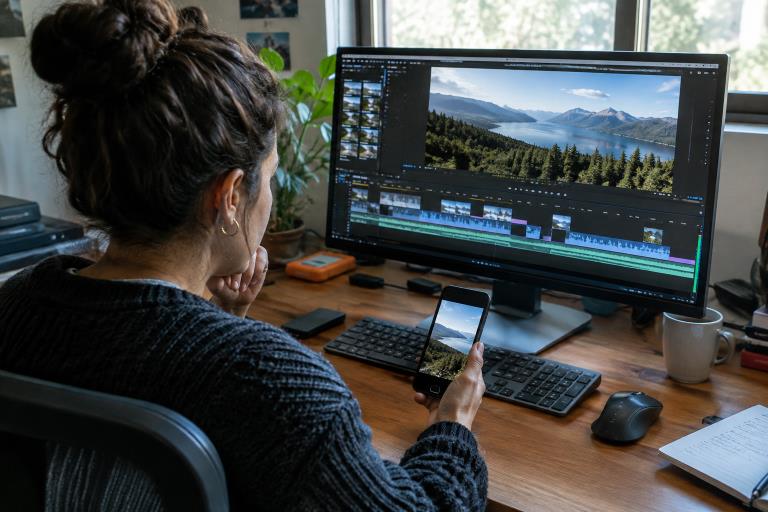
Turning a wide video into a phone-first clip is more than a resize. When you crop video for a vertical format, you decide which faces, actions, products, and visual cues remain part of the story. A successful reframe feels intentional, not like a wide shot with its most important details cut away.
That requires a fresh edit of the composition. The goal is not simply to fill a tall screen. It is to guide the viewer toward the message, preserve what makes the original clip understandable, and make each moment comfortable to watch on a mobile device.
Why Vertical Video Needs More Than a Simple Crop
Landscape and portrait frames reveal very different portions of a scene. Common aspect ratios such as 16:9 and 9:16 have opposite shapes, so a vertical crop removes much of the original width. A centered crop may work for one speaker, but it can easily exclude a second person, a product held to one side, a sign, or the hands that demonstrate an important step.
Vertical editing is also a storytelling choice. Viewers need to understand what matters quickly, especially when the clip appears among other short videos. The increasing use of vertical video in journalism shows that portrait framing can support news, education, demonstrations, and promotional work, not only entertainment content. The strongest version uses the tall frame to clarify attention rather than merely adapt to a placement.
How to Choose Footage That Can Survive Reframing
Review the source clip before opening an editor. The best candidates have one obvious subject, a useful space around that subject, and action that stays near the middle of the original shot. A high-resolution source is also helpful because a tighter crop leaves fewer pixels available for the final export.
Footage That Usually Works Well
- Talking-head clips with one speaker.
- Close product demonstrations.
- Cooking, crafting, and repair tutorials focused on hands and a work surface.
- Interviews in which the speaker stays in roughly the same position.
- Action that moves up and down more than it moves across the full width of the frame.
Footage That Needs Extra Care
- Group conversations where several people need equal visibility.
- Wide event footage that depends on the full setting.
- Sports or performances with rapid side-to-side movement.
- Presentations containing charts, slides, or long lines of text.
- Scenic shots with multiple important details spread across the frame.
These clips are not unusable. They simply may need selective cuts, split-screen treatment, a different crop for each shot, or a blurred background that keeps some context visible.
How to Keep the Main Subject in Frame
Start by identifying the subject that carries the message. It could be a face, a product, a pair of hands, or a single action. Frame that element first, then decide what supporting context truly needs to remain visible.
- Set the opening frame so the subject appears naturally positioned.
- Leave enough headroom and side room for small movements.
- Watch the entire clip at normal speed, not only as a still image.
- Move the crop gradually when the person or object changes position.
- Check that reframing does not create abrupt visual jumps.
When a Center Crop Is Enough
A centered crop is often effective when the speaker remains near the middle, the background is not essential, and the shot has one clear point of attention. It is a starting point, not a rule. If the speaker looks toward an object or another person, leaving space in that direction can make the composition feel more natural.
When the Crop Should Follow Movement
Use crop movement when a person walks, a demonstrator shifts an item across a table, or the key action changes position. Keep those adjustments smooth and purposeful. Constant tiny corrections can make the frame feel restless, so follow major movement instead of chasing every gesture.
How to Protect Text, Products, and Important Details
Small details deserve a separate review. Product labels, screens, diagrams, and captions can become difficult to read after the frame narrows. If the visual detail explains the point, enlarge it, cut to a closer shot, or place it on its own screen rather than hoping viewers will pause.
- Keep essential text away from the outer edges.
- Use short caption lines that are easy to scan.
- Position captions so they do not cover faces, hands, or products.
- Break busy graphics into several simpler screens.
- Check the top and bottom areas for controls or overlays in the intended placement.
A Simple Workflow for Reframing Landscape Video
- Watch the source. Mark the subject, key action, and details that must survive.
- Choose the target frame. Use a portrait layout when the destination is designed for full-screen mobile viewing.
- Build the primary crop. Set the first shot around the clearest visual priority.
- Adjust for movement. Reframe only where the subject or action makes it necessary.
- Rebuild text. Add titles and captions after the composition is finalized.
- Review sound and pacing. Make sure the visual change did not weaken the explanation.
- Inspect on a phone. Check readability, sharpness, and comfort at the size viewers will actually see.
Common Reframing Mistakes to Avoid
- Using one crop for every shot: Different scenes have different priorities.
- Zooming too far: An overly tight crop can look soft and leave no room for movement.
- Ignoring the original story: A clean composition still fails if it removes needed context.
- Writing oversized captions: Long text blocks compete with the video itself.
- Skipping mobile review: A desktop preview may hide problems that are obvious on a phone.
How Platform Placement Changes the Edit
The same vertical clip may need small changes for different destinations. Short-form feeds often benefit from an immediate visual hook. Educational and news-focused clips may need names, locations, or supporting context. Story-style placements can leave less usable room near the top and bottom, while a video embedded on a webpage may allow more descriptive copy outside the frame.
A Final Quality-Check List
- Is the main subject visible from start to finish?
- Does the crop move smoothly when the subject changes position?
- Are faces, hands, products, and signs fully visible when needed?
- Can viewers read captions without pausing?
- Does the opening moment make sense with the sound off?
- Is speech clear and balanced?
- Does the file look sharp on a mobile screen?
- Does the final composition fit its intended placement?
Common Questions About Vertical Video
Can Any Landscape Video Become Vertical?
Most landscape clips can be adapted, but not everyone will make a strong full-screen portrait video. Wide scenes with several important subjects may need a different edit or a layout that preserves more of the original frame.
Should the Subject Always Stay in the Center?
No. Center framing works well when the subject is static, but off-center placement can better support movement, eye line, text, or a second visual element.
Should Captions Be Added Before or After Reframing?
Reframe first whenever possible. That lets captions support the final composition instead of being cropped off or placed over the important action.
Conclusion
Reframing landscape footage for vertical video is a new composition decision, not a one-click afterthought. Keep the story’s main subject visible, protect the details that explain the action, and test the finished clip where it will be watched. With a deliberate workflow, one recording can serve multiple formats while still feeling designed for the viewer.