Compare restaurant listing channels by how they display, approve and maintain your business information. Use a branch-level checklist, sample profile and onboarding questions to prepare an informed enquiry.
If you are comparing providers, use FoodCity’s enquiry form to ask how to list your restaurant in Kolkata and what steps currently apply. The enquiry is a starting point, not proof of a specific feature or approval. A useful comparison begins with a simple question: can a service present your real branch clearly and keep that information accurate?
Work with one branch at a time. Brand-level promises are less useful than a profile showing the correct address, contact number, hours and menu for the outlet a customer will actually visit.
Compare the experience a diner can actually use
Start with a live example profile on a phone. Can a customer distinguish branches, find the entrance and understand the menu without guessing? Note what is visible and what requires another step, such as signing in or opening a contact form. Save the page and record the date you checked it; a polished screenshot alone does not show whether the address or details are current.
Then test the contact journey without making a reservation or purchase. Is the available action a phone call, an enquiry, directions or simply a profile view? Describe only what you observed. A contact button is not evidence that the platform processes bookings, orders or payments, and profile views are not proof of restaurant visits.
Ask how the listing is maintained
Before a profile goes live, ask what evidence the platform needs to confirm that you may represent the business and whether you can review the finished details. The exact checks and approval sequence can differ, so request the current process rather than assuming that another service’s rules apply.
Clarify how corrections work after launch. Who can request a new price, updated menu or changed holiday hours? Is there a named support route, and will you receive confirmation when an edit appears? Agree who in your own team checks each branch record. A simple monthly review can catch a changed phone number or service window before customers rely on old information.
Understand the commercial and measurement terms
Ask for a current written explanation of setup charges, recurring fees, promotional options and what each item includes. Check cancellation, renewal and any asset-preparation costs before you agree. If no price is published, treat the amount as unknown until the provider confirms it; do not infer that a listing is free or paid from another business’s experience.
If a platform offers reporting, ask for the definition and period behind every metric. A profile view, click on a contact option and completed enquiry are different actions. Find out whether reports cover one branch or the whole brand, and who can access them. This helps you compare channels on useful evidence without treating visibility estimates as visits or sales.
For each provider, keep a short note with the example profile, contact steps, written terms, unanswered questions and the person you spoke with. Mark each point as confirmed, needs clarification or not offered. A blank answer is a follow-up question—not proof that a feature exists.
Do not treat a contact button as proof that a platform processes reservations, orders or payments. Likewise, profile views and restaurant visits are different outcomes. Ask what is actually supported and measured.
The branch-information file
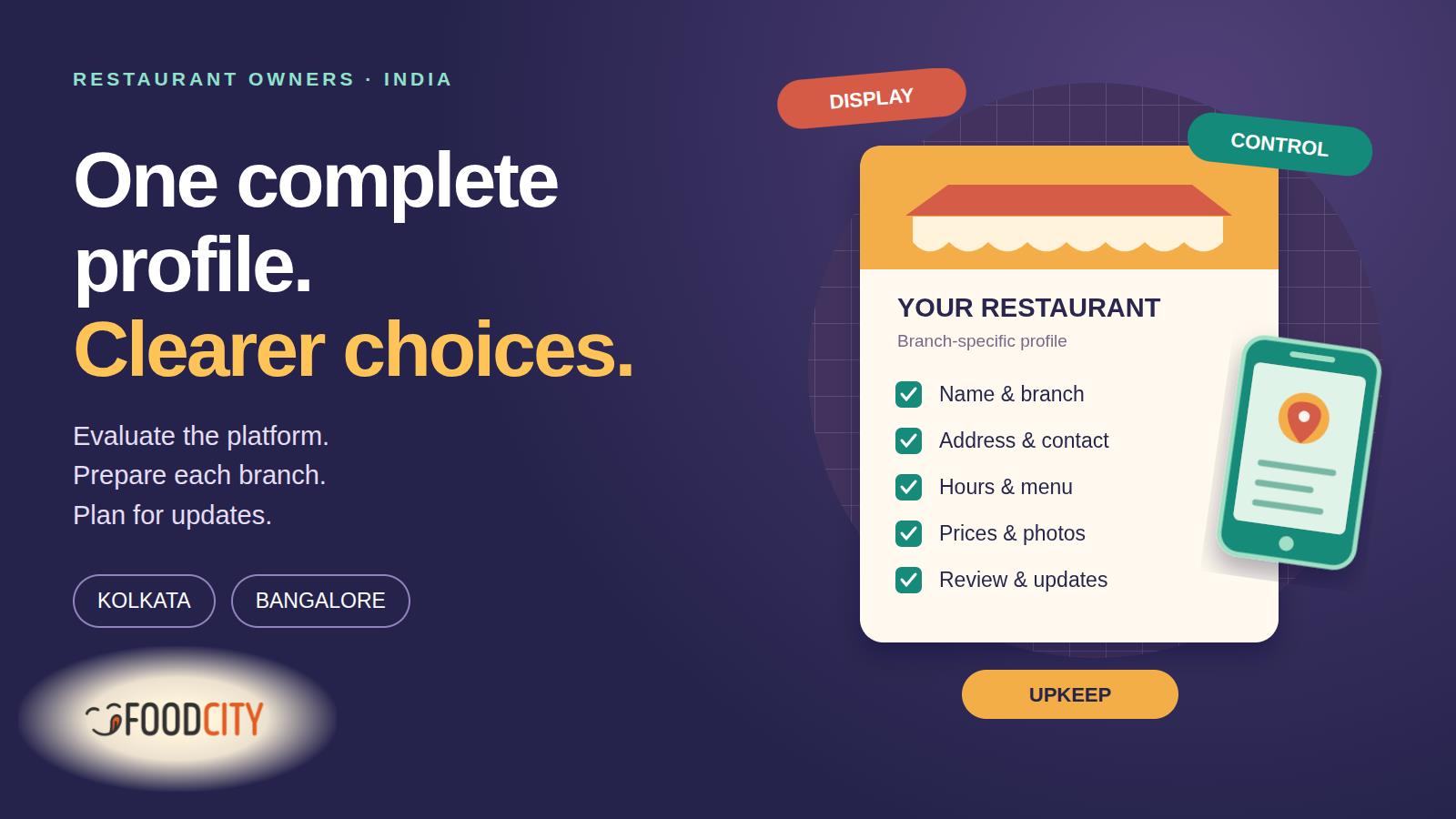
Prepare these records before onboarding. This is an owner’s preparation checklist, not a claim that every platform requests the same fields.
- Identity: real trading name, branch designation and accurate cuisine or business category.
- Location: building or shop number, street, floor, locality, city, state, PIN code and checked map point.
- Contact: monitored business phone and email, plus the person responsible for corrections.
- Hours: day-by-day opening times, split sessions, weekly closure and holiday exceptions.
- Menu: current descriptions, portions, quantities, prices, combination inclusions and relevant tax or packaging conditions.
- Images: clear storefront, entrance, interior and food photographs you have permission to publish.
- Services: actual dine-in, takeaway and other arrangements, without implying facilities the branch lacks.
Google’s Business Profile guidance independently emphasises real-world names, precise addresses and customer-facing hours. Those are Google’s rules for its own product; confirm each additional channel’s separate requirements.
Two local checks before you submit
Kolkata: can someone find the entrance?
If you search for a restaurant listing website Kolkata owners can use, check whether an example profile distinguishes the floor, shop number and locality. FoodCity’s Bengali cuisine collection is an example of restaurant discovery, not a claim that it contains every Kolkata business or checks every detail for an owner. A College Street outlet and a Salt Lake outlet should not share directions or photographs by accident.
Keep useful entrance instructions alongside the complete address, rather than adding directions or promotional keywords to the business name.
Bangalore: is this the right outlet record?
For an Indiranagar or Jayanagar branch, check the individual contact number, map point and menu instead of copying a brand-wide record. Preserve the accurate postal address even when customers use Bangalore and Bengaluru interchangeably in searches.
Test the structure with a sample profile
Fictional worksheet example: “Sample Table” is invented. The hours, quantities and prices illustrate the structure and are not a live restaurant offer.
Sample Table — Indiranagar
Indiranagar, Bengaluru, Karnataka. Complete shop number, street and PIN code: to be verified.
Branch phone and monitored business email: to be supplied.
Customer-facing hours: Tuesday–Sunday, noon–3:00 p.m. and 7:00–10:00 p.m.; Monday closed.
Menu excerpt: vegetable pulao, 250 g, ₹180; paneer curry, 200 g, ₹220, rice sold separately. Illustrative prices include taxes.
Services: dine-in and takeaway.
Required images: actual storefront, entrance and food photographs.
This example is incomplete for publication. Resolve missing address and contact details before submitting a real business profile; placeholders belong in a working file, not a customer-facing listing.
Three questions that decide the next step
What does onboarding require?
Ask about eligible locations and categories, proof of authority, documents, menu formats and image specifications. Confirm who supplies each item.
When is the profile ready to launch?
Request the approval sequence and dependencies. Establish whether missing assets or owner review affect the schedule rather than assuming a fixed publication date.
How will the record stay current?
Agree who handles corrections, branch moves, duplicate listings and closures. Ask how an edit is requested and how you will know it has been applied.
Using FoodCity as a starting point
FoodCity’s app provides access to restaurant listings and menus. Its initial enquiry form asks for business name, contact person, role or position, phone, email, business category and city or location.
The form does not initially request a full address, menu upload or photographs. Keep the branch-information file ready for follow-up and ask the team about commercial terms, assets, review and maintenance. Sending an enquiry does not immediately create an account or publish a listing.
Have your restaurant details ready? Use FoodCity’s enquiry form to ask about the next steps for your branch. An enquiry starts a conversation; it is not completed onboarding or a published profile.