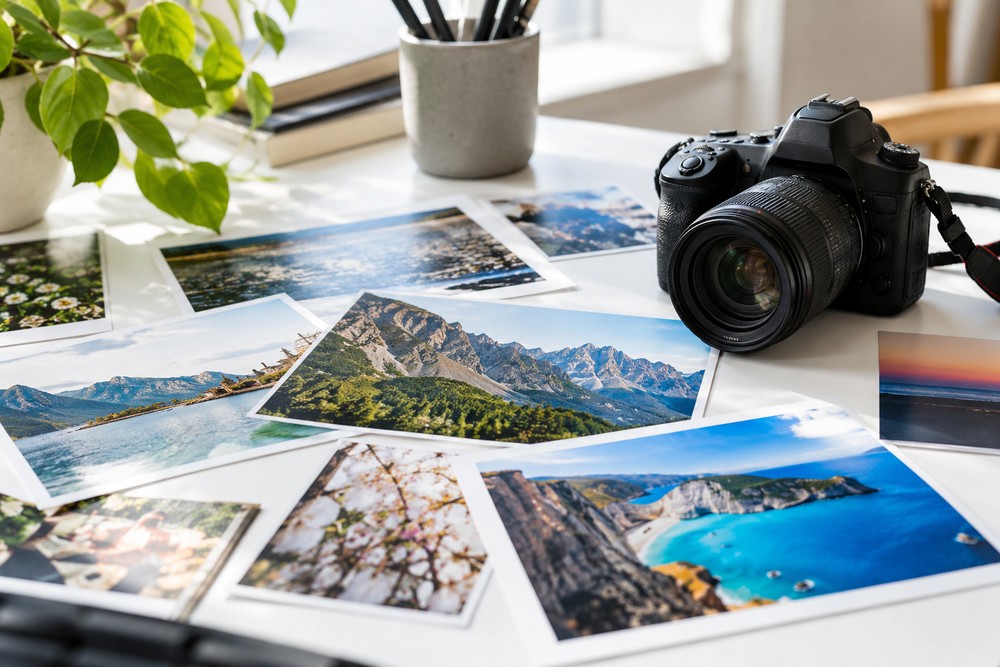
In the world of online magazines, a compelling story deserves more than good writing alone. The right image can capture a reader’s attention, set the mood, and make an article memorable long after the final paragraph. Whether the subject is fashion, culture, travel, entertainment, lifestyle, or emerging trends, visual presentation plays an important role in how audiences experience digital content.
For modern publishers, creating an engaging article means thinking about the entire reading experience, from the headline and opening paragraph to the photographs, graphics, and small design details that bring a story to life. Even something as simple as preparing an image in the appropriate file format can make a difference. Tools such as a JPG to PNG converter can help content creators adapt images for different design needs, especially when working with graphics, logos, or visual elements that benefit from transparency.
Why Visual Content Matters in Digital Publishing
Readers often form their first impression of an online article before they read a single sentence. A striking photograph, an attractive cover image, or a thoughtfully designed graphic can encourage someone to stop scrolling and explore the story.
This is particularly important for online magazines, where readers have countless articles competing for their attention. Strong visuals help establish the subject immediately and create a more distinctive identity for each piece of content.
Imagine opening an article about a destination known for its coastal scenery. A carefully selected photograph of the landscape immediately establishes the atmosphere. An article about contemporary fashion, on the other hand, might benefit from editorial photography that highlights colour, texture, and styling.
The image should complement the story rather than distract from it.
For publishers, this means treating photography and graphic design as essential parts of the editorial process instead of details to consider only after the writing is finished.
Choosing the Right Images for Your Audience
The most effective visual content reflects both the subject of an article and the expectations of its readers.
A lifestyle feature might use warm, natural photography that feels personal and inviting. A technology article may benefit from clean illustrations, product images, or screenshots. Travel features often rely on landscape photography, while entertainment coverage may use event photography and carefully designed promotional graphics.
Before selecting an image, ask yourself three questions:
- Does it clearly relate to the article’s subject?
- Does it support the tone and mood of the story?
- Will it look appropriate on both desktop and mobile screens?
These questions help prevent a common publishing mistake: choosing an image simply because it looks attractive.
A beautiful photograph that has little connection to the article can confuse readers. A more relevant image may be less dramatic, but it gives the audience a clearer understanding of what to expect.
Whenever possible, prioritize original photography, properly licensed images, and visuals that provide genuine editorial value.
Understanding Image Formats and Their Uses
Not all image files behave in the same way. Choosing the right format can help publishers maintain a consistent appearance across articles, promotional graphics, and social media content.
JPG for photographs
JPG is widely used for photographs because it can keep file sizes relatively small while maintaining good visual quality.
This makes it useful for travel pictures, fashion photography, interviews, lifestyle features, and other editorial images that contain many colours and subtle details.
However, JPG uses lossy compression. Some image information is discarded to reduce file size, and repeatedly editing and saving the same file can gradually affect its quality.
For this reason, it is sensible to retain an original copy of important photographs before making significant edits.
PNG for graphics and transparent backgrounds
PNG is often useful for logos, illustrations, screenshots, and graphics containing text or sharp edges. It also supports transparency, which allows an image to be placed over different backgrounds without an unwanted solid rectangle.
For example, an online magazine might create a branded graphic featuring its logo, a short headline, and a decorative element. A transparent image can make it easier to incorporate those elements into different layouts.
One important detail is that converting a JPG file into PNG does not automatically improve the original photograph or restore details lost through compression. Nor does conversion alone remove an existing background. Those changes require separate editing steps when needed.
Understanding these differences allows publishers to choose formats based on practical requirements rather than assumptions.
Creating a Consistent Visual Identity
A successful online magazine needs a recognizable visual style. Readers should gradually become familiar with its approach to photography, typography, colours, and page layouts.
Consistency does not mean every article should look identical. Instead, it means that individual stories share a coherent design language.
For example, a magazine covering fashion, culture, and travel might use different photography styles for each category while maintaining consistent headline fonts, image spacing, and branding.
Here are a few ways to create that consistency.
Develop a simple colour palette. Choose a small selection of colours for recurring design elements, such as headings, borders, and promotional graphics.
Use consistent image proportions. Similar dimensions across article thumbnails create a cleaner homepage and make category pages easier to browse.
Choose typography carefully. Headlines should stand out, while body text should remain comfortable to read. Decorative fonts are best reserved for situations where they genuinely support the design.
Avoid unnecessary visual effects. Excessive filters, shadows, and decorative elements can make a page feel cluttered. A restrained approach often gives photography more room to stand out.
These small decisions can make a publication feel more professional without requiring an elaborate design system.
Optimizing Images for Faster Loading
Beautiful images are valuable, but large files can create a frustrating experience when they take too long to load.
This is especially relevant for readers browsing on mobile devices, where connection speeds and data allowances can vary.
Image optimization helps balance visual quality with website performance. The process generally involves choosing suitable dimensions, selecting an appropriate format, and compressing files when necessary.
For example, a photograph displayed in a small article thumbnail does not need the same dimensions as a full-width editorial image. Preparing each file for its actual display size can reduce unnecessary data without visibly affecting the result.
Publishers should also preview images on different screen sizes. A photograph that looks impressive on a large monitor may crop awkwardly on a phone, cutting out the main subject or making the composition feel unbalanced.
Before publishing, check that:
- The main subject remains visible on smaller screens.
- Text within graphics is readable.
- Image quality is acceptable at the intended display size.
- File sizes are reasonable for the page layout.
- The image loads correctly across common devices.
A visually appealing article should also be convenient to read.
Making Articles More Discoverable Through Image SEO
Images can contribute to a publication’s visibility in search engines when they are relevant, properly prepared, and supported by useful surrounding content.
Start by giving image files descriptive names. A filename such as summer-fashion-editorial.jpg provides more context than a generic camera-generated filename.
Add meaningful alternative text to informative images. For instance, a photograph accompanying a travel article might describe the location and the important visual details. Avoid stuffing alternative text with repeated keywords; its primary purpose is to make visual information accessible to people who cannot see the image.
Image dimensions and compression also matter because page performance affects the overall browsing experience.
Most importantly, the image should support the article itself. A relevant photograph placed alongside accurate, useful writing is more valuable than an unrelated image added solely to attract search traffic.
For an online magazine, strong SEO begins with publishing content that answers readers’ questions and gives them a reason to stay.
Bringing Stories to Life on Social Media
An article’s visual identity should extend beyond the website. Social media platforms provide another opportunity to introduce stories, attract new readers, and encourage people to explore a publication’s content.
However, an image designed for a website may not work equally well on every platform. Some placements favour square graphics, while others display portrait or landscape images.
Rather than using one version everywhere, prepare suitable variations when necessary. Keep the main subject prominent, avoid placing important text near areas that might be cropped, and ensure branding remains subtle enough not to overwhelm the design.
A travel feature, for example, might use a wide landscape photograph for the article header and a portrait crop for a social media post. Both versions can communicate the same story while fitting their respective layouts.
This approach creates a more polished presentation and helps publishers make better use of their existing visual material.
Conclusion
Great digital publishing combines engaging writing with thoughtful visual presentation. By choosing relevant images, understanding file formats, maintaining a consistent design, and optimizing graphics for performance, online magazines can create articles that are easier to explore and more memorable for readers.
The most effective approach is to make every visual element serve a purpose. When strong storytelling and well-prepared images work together, a publication can communicate its ideas more clearly, strengthen its identity, and give readers more reasons to return.